

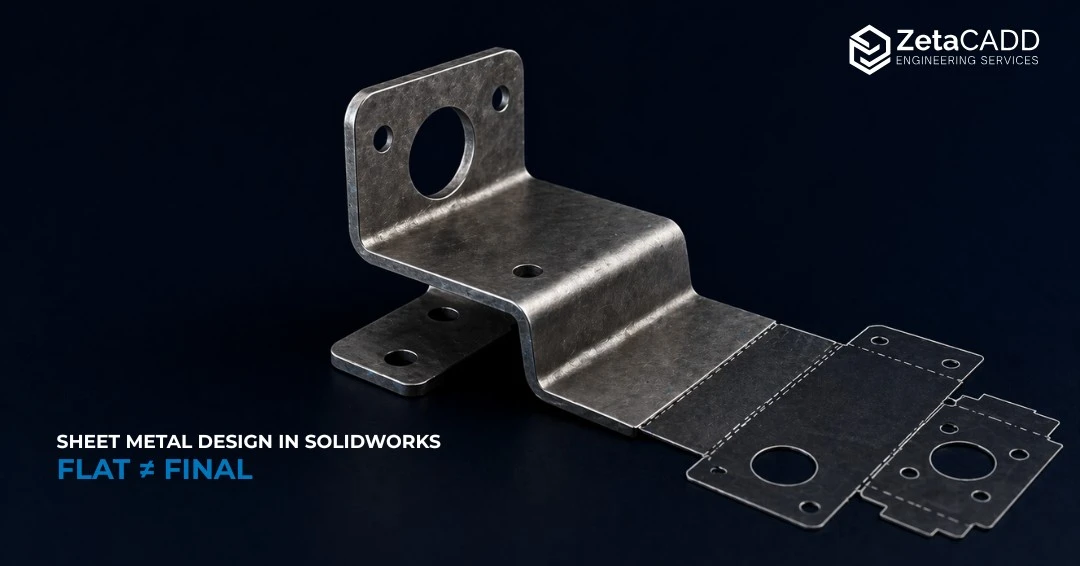
Sheet Metal Design in SOLIDWORKS: Production-Ready Parts Guide
A SOLIDWORKS sheet metal model that passes all internal checks like resolved flat pattern, properly populated bend table, and no geometry errors can still fail in fabrication. Not catastrophically, but in the slow, expensive way: a fabricator who can’t use your DXF as-is, a flat blank that doesn’t yield the correct formed dimensions, a corner condition that requires secondary work, a BOM entry that procurement can’t take action without a call to engineering.
These aren’t software failures. They’re the downstream cost of modeling decisions made without sufficient manufacturing context.
Closing that gap requires more than SOLIDWORKS proficiency. It requires design decisions grounded in forming mechanics, tooling reality, and material behavior. Decisions that the software cannot make on your behalf.
What Sheet Metal Design Actually Demands
Good sheet metal design satisfies three simultaneous requirements: geometric accuracy in the formed state, manufacturability using standard tooling and processes, and completeness of the data package handed off to fabrication, procurement, and assembly. Miss any one of them and the other two become partially irrelevant.
The key misunderstanding most teams carry is that SOLIDWORKS enforces manufacturability. It does not. It enforces internal logical consistency. A model can be geometrically consistent, featuring valid bend geometry, correct wall thickness, and a clean flat pattern. Simultaneously, it can specify bend parameters that no shop’s tooling can match, relief geometry that can’t be punched at the required corner radius, or a K-factor that will produce a flat pattern with enough accumulated error to fail inspection on a multi-bend part.
The Technical Failure Modes That Cost the Most
Bend radius misalignment with press brake tooling
SOLIDWORKS ships with a default inside bend radius of 0.100 inches. For many shops, that radius is not a standard tooling match, which can require specialty tooling or additional forming steps. Standard air-bending tooling in most production environments uses a 0.030 inch inside radius for material up to 0.125 inches thick.
Specifying anything else pushes the part into either bottom-bending (which requires precise tonnage control and matched tooling) or custom die sets, both of which add cost and lead time.
The deeper issue: inside radius affects springback, and springback is material- and thickness-dependent. For stainless steel and aluminum, springback is substantially higher than for mild steel, meaning the air-bend radius must compensate.
A 0.030 inch nominal inside radius in mild steel may need to be tooled at a tighter radius in stainless to achieve the same final geometry. If the model doesn’t account for this, or if the engineer is simply accepting defaults, the fabricator is left to make that judgment call at the press brake.
K-factor inaccuracy and flat pattern error
The K-factor defines the neutral axis location through the thickness of the material and controls how SOLIDWORKS calculates stretch in a bend, which directly affects flat pattern accuracy. If the K-factor is wrong, the flat pattern can be wrong, and that often creates quoting delays or shop revisions.
In practice, K-factor varies by material, temper, thickness, and bend method. For cold-rolled steel in air bending, values typically range from 0.38 to 0.42. For aluminum alloys, they run higher: 0.40 to 0.50 depending on the alloy and temper.
The SOLIDWORKS default of 0.5 is a reasonable estimate for some aluminum in some conditions. For mild steel, it consistently overestimates the neutral axis position, producing a flat that is dimensionally longer than the physical part will be after bending. On a simple two-bend bracket, the error is tolerable. On a twelve-bend chassis panel with tight formed dimensions, it accumulates into functional failure.The solution is not complicated: obtain bend gain data from your fabricator, or use empirical K-factor values derived from actual test bends in your material and gauge. Lock those values in a gauge table and use it consistently.
Feature proximity to bend lines
Material deformation during bending extends beyond the bend zone itself. Holes, slots, embosses, or notches placed within approximately four times material thickness from the bend line will distort as the material flows.
In a 3mm part, that means keeping features at least 12mm from the bend line, a constraint that frequently conflicts with compact designs and that SOLIDWORKS will not flag without additional DFM analysis tools.
The practical implication: if a hole must sit close to a bend, the flat pattern needs to position it in the deformation zone deliberately, accounting for the displacement that bending will cause. That requires the engineer to understand how much the feature will move, not just whether the model looks correct in its folded state.
Corner and relief design
SOLIDWORKS provides several bend relief options, but the correct choice depends on the cutting method, not just the geometry. Laser-cut parts can accommodate tighter inside corner radii than punched parts, which are limited by available punch geometry.
SOLIDWORKS 2026 added a single-checkbox option to apply break corner conditions to internal corners simultaneously, which reduces an oversight that previously required manual selection. However, it doesn’t resolve the more fundamental question of whether the relief geometry matches the fabricator’s process.
Closed corners in assemblies introduce a related risk: tight flange-to-flange intersections that look clean in the 3D model but produce interference when manufacturing tolerances are applied. Formed dimensions on press-braked parts typically hold ±0.5° on bend angle and ±0.25mm on leg length. At tight corner clearances, both tolerances need to be explicitly analyzed before the design is released.
Self-fixturing geometry in weldments
Tab-and-slot features carry significant fabrication value that most engineers don’t model because they consider it a shop concern rather than a design concern. Without slots and tabs, fabrication shops rely on clamps, measuring, and temporary fixtures to hold panels in position, a setup process that is time-consuming and can easily double welding time while increasing the risk of misalignment.
Designing self-fixturing geometry using SOLIDWORKS’ Tab and Slot feature transfers that alignment work into the part geometry itself, reducing labor and improving dimensional consistency across a production run.
For weld assemblies requiring tight positional tolerances, it’s not optional; it’s the reliable path to repeatable results.
Building Models That Work in Production
Start with material and process definition, not geometry. Before the first sketch, confirm the inside bend radius that matches your supplier’s standard tooling, select a K-factor from actual bend gain data or material-specific references, and define a gauge table with those parameters.
Starting with the dedicated Sheet Metal toolbar, rather than converting solid geometry, means thickness, bend radius, and flat pattern behavior are governed by sheet metal rules from the outset. Converting solids to sheet metal works in limited cases but frequently produces artifacts in corner geometry and bend reliefs that require cleanup.
With SOLIDWORKS 2026 extended base flange flexibility, you can now offset the base flange from a sketch plane or define using any reference geometry including surfaces, faces, planes, or vertices. This feature is particularly useful when working from assembly-driven reference geometry rather than standalone sketches.
It is also crucial to validate the flat pattern early, not as a final check, but as an active part of the modeling workflow. Toggle between formed and flat after each significant feature addition.
If the flat doesn’t resolve cleanly, the cause is almost always a K-factor or bend radius mismatch, a feature violating minimum distance from a bend, or a corner condition that conflicts with the flattening algorithm.
Identifying these at feature creation is exponentially cheaper than finding them at release.
The Handoff: Where Well-Modeled Parts Still Fail
A production-ready handoff for a sheet metal part requires the formed SOLIDWORKS model, a verified DXF of the flat pattern, an annotated detail drawing, and fully populated custom properties.
The drawing must specify material, alloy and temper where relevant, gauge (decimal thickness, not just gauge number), finish specification, inside bend radius, bend allowance method (K-factor value or bend table), and a flat pattern view with verified blank dimensions.
SOLIDWORKS 2026 added the capability to directly reference cut-list properties in top-level multibody custom properties, which matters for assemblies where sheet metal parts and structural members coexist. It prevents BOM entries from being manually populated or left incomplete.
A fabricator who receives a drawing without a specified K-factor or bend radius will make assumptions. Whether those assumptions match yours is a variable you should not leave open.
What the Software Handles and What It Does Not
SOLIDWORKS manages the geometry, the flat pattern mathematics, the BOM structure, and increasingly, the complexity of multi-body sheet metal assemblies. The 2026 enhancements such as base flange input conditions, single-action internal break corners, and cut-list-to-custom-property linking reduce sources of manual error in model setup and documentation.
What the software does not provide is knowledge of your supplier’s tooling library, the springback characteristics of your specific material, or how your fabricator needs to receive data to program their equipment efficiently.
It also does not evaluate whether the model’s bend parameters are achievable without specialty tooling, whether the flat pattern grain direction is acceptable for your material, or whether the corner relief geometry will hold at the cut tolerances your shop runs.
Those judgments belong to engineers who understand the full fabrication chain, and not just the modeling environment.
Pre-Release Technical Checklist
Before releasing a sheet metal part for fabrication or quoting, confirm the following:
- Bend radius matches the fabricator’s standard press brake tooling
- K-factor is material-specific, not a generic default
- All bend reliefs are sized for actual punch or laser capability
- No features are placed within the minimum safe distance from bend lines
- Flat pattern generates cleanly and dimensions match the formed drawing
- Custom properties are populated: part number, material, gauge, finish, revision
- Drawing includes bend notes, material callout, and a flat pattern view with blank size
- DXF flat pattern export has been verified against the SOLIDWORKS flat
Conclusion
Production-ready sheet metal design is not a function of SOLIDWORKS expertise alone. It is a function of engineering judgment about material behavior, tooling constraints, forming mechanics, and data completeness applied at every stage of the modeling workflow. SOLIDWORKS provides a capable, increasingly refined environment for capturing and communicating those decisions.
But it can only output what the engineer puts in. Teams that treat manufacturing knowledge as a design input, not a downstream review, produce parts that quote accurately, form correctly, and fit without iteration.
That is what the standard production-ready should mean.